
A Few More Things We Snuck In...
We’ve been listening. Building. Smoothing out the edges.
These are the little updates that make everyday modeling feel better: snappier, more intuitive, and a lot less annoying. From sloped setbacks to color legends that actually explain themselves, here’s what’s new.
Key Takeaways
2D Measuring: The measure tool is now available in Floor Plan views, eliminating the need to switch to 3D for quick checks.
Customizable Legends: Users can now drop formatted color legends directly onto boards to explain functions and area types.
Advanced Site Massing: New support for sloped envelopes, stacked setbacks, and drag-to-edit edges with temporary dimensions.
Improved Navigation: Zoom and Orbit functions now center on the cursor position rather than the model center for more precise control.
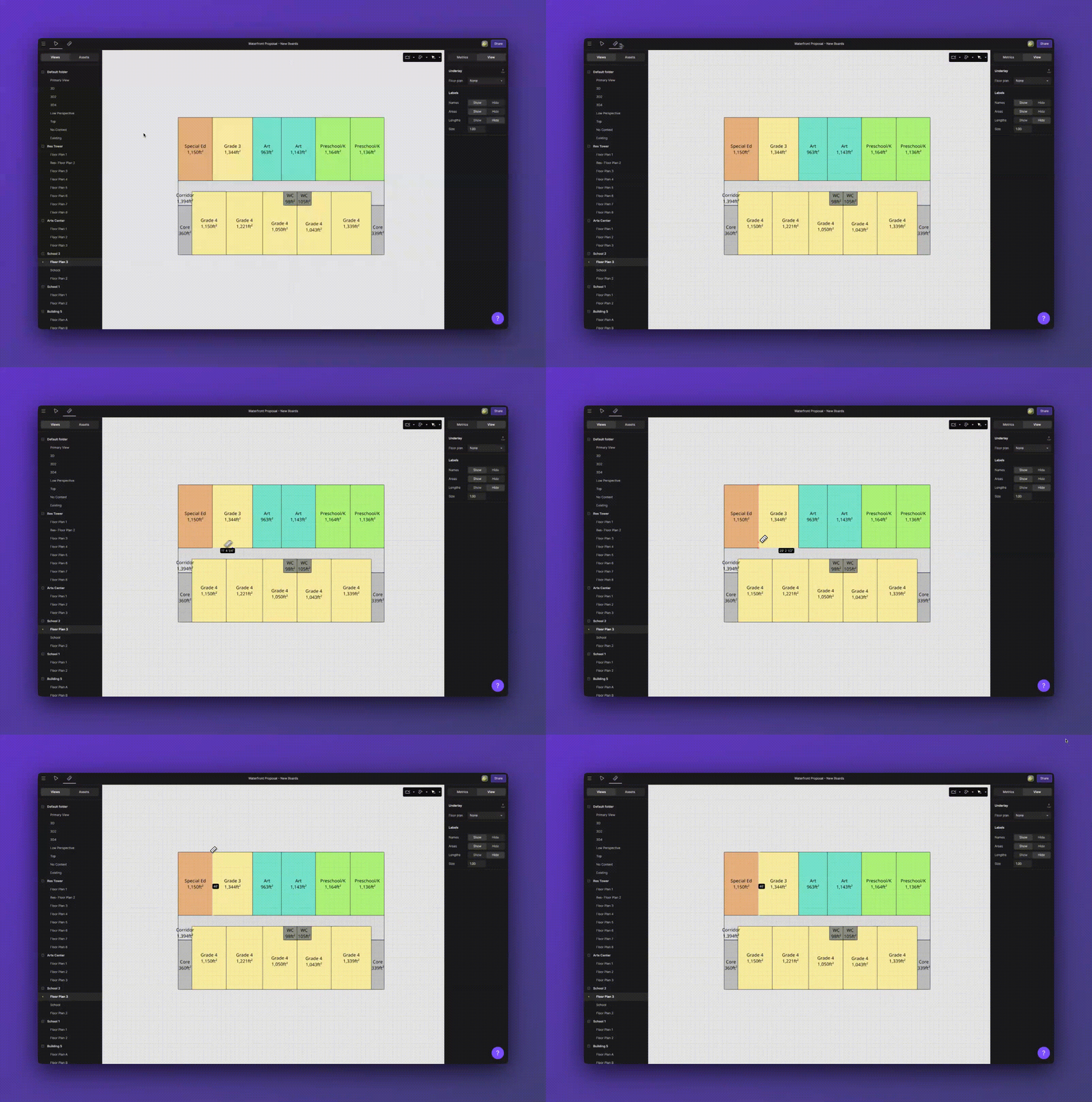
Quick checks, no view-switching.
📏 Measure Tool in Floor Plans
Measure Tool in Floor Plans
You’ve had the measure tool in 3D for a while. Now it works in plan view too—so you can stay focused, stay fast, and stop bouncing between views just to confirm a distance.
No view-switching just to confirm a distance
Faster validation while sketching
Smoother focus—measure, adjust, keep moving
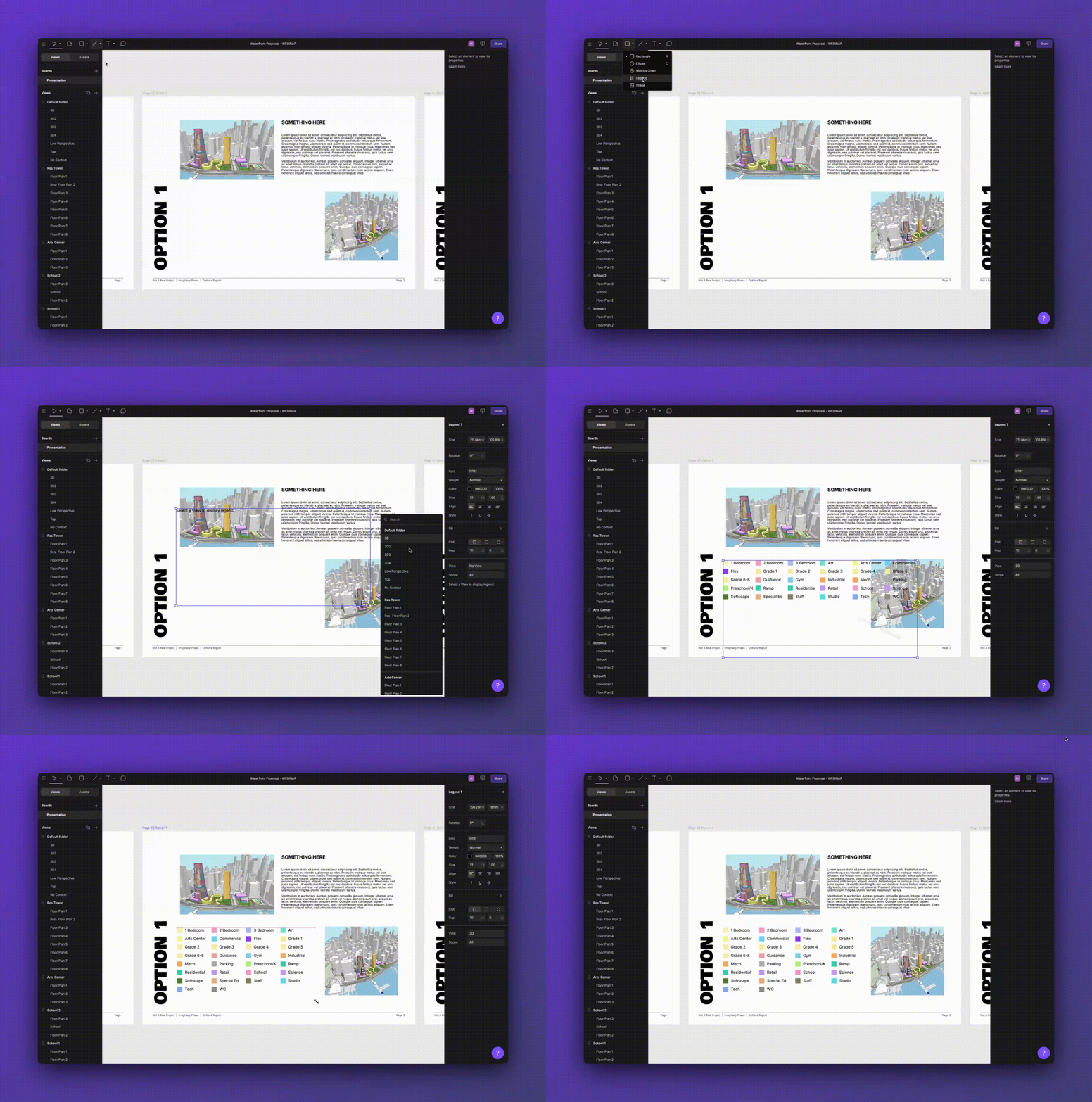
Color without context? Not anymore.
Drop-in Legends
Now you can drop that legend straight onto your boards—even without a metrics chart.
Choose what shows (functions, area types, etc.)
Filter what matters
Format it to match your document style
So when someone asks what “yellow” means, you’ve already answered.
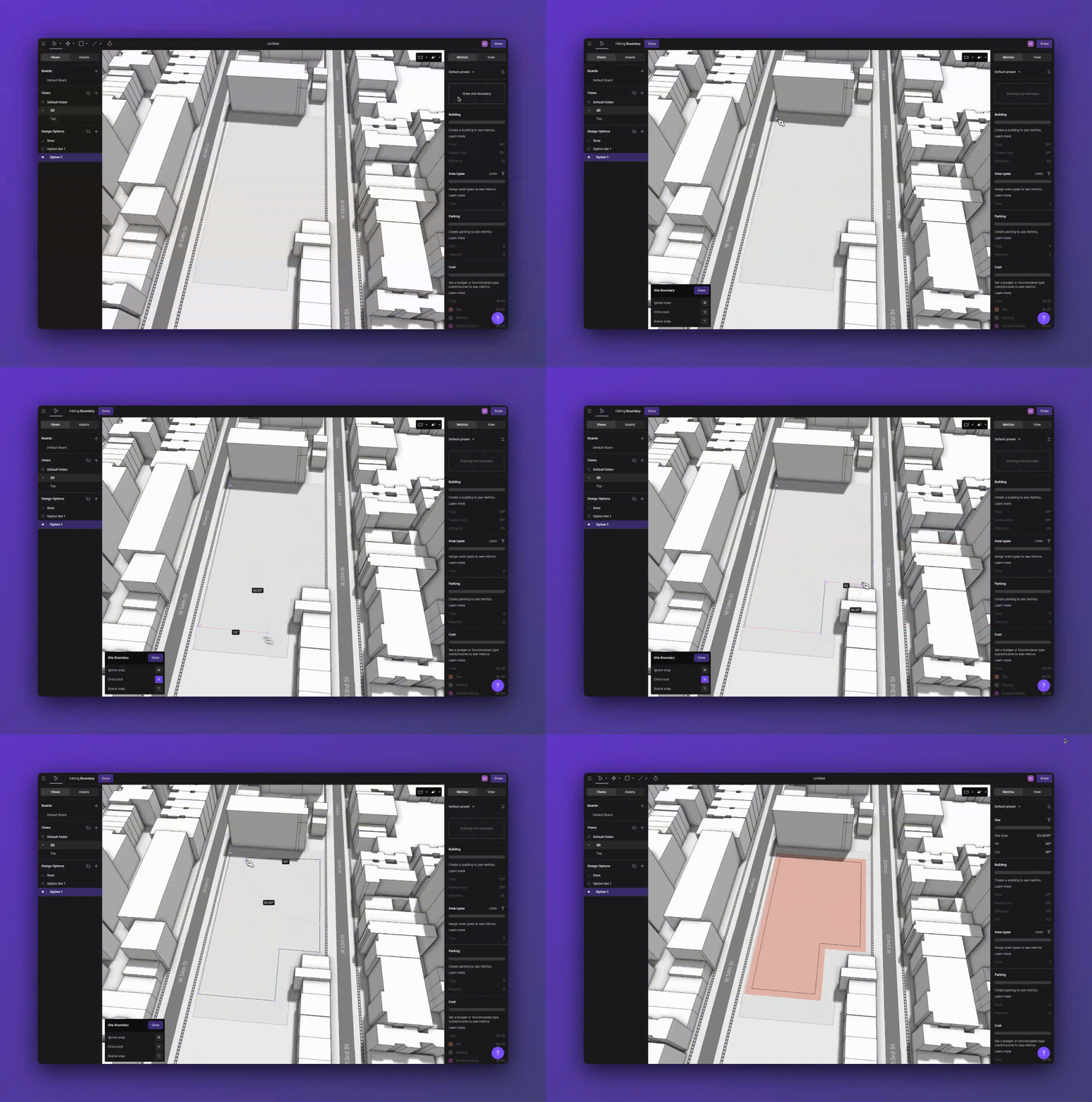
Sloped envelopes. Stacked setbacks. Fewer clicks.
Smarter Site Boundaries
Site boundaries now adapt to zoning rules from the first click—slopes, stacks, and setbacks included.
We gave site massing a proper tune-up. Now you’ll find:
Sloped envelopes (especially handy in APAC)
Stacked setbacks that play nicely
Default setback logic baked in
Drag-to-edit edges with temporary dims
A toggle to show/hide the envelope (no more opacity fiddling)
Max Height Reflection: Setbacks now accurately reflect maximum height limits.
Visual Customization: Fully customizable colors for better visual clarity.
Zoom + Orbit at Cursor
Now when you zoom and orbit, the camera follows your cursor, not the model center. That small tweak speeds up detailing and deep-dive reviews.
Built from your feedback.
Keep it coming. We’re always listening and always building toward smoother, saner design days.